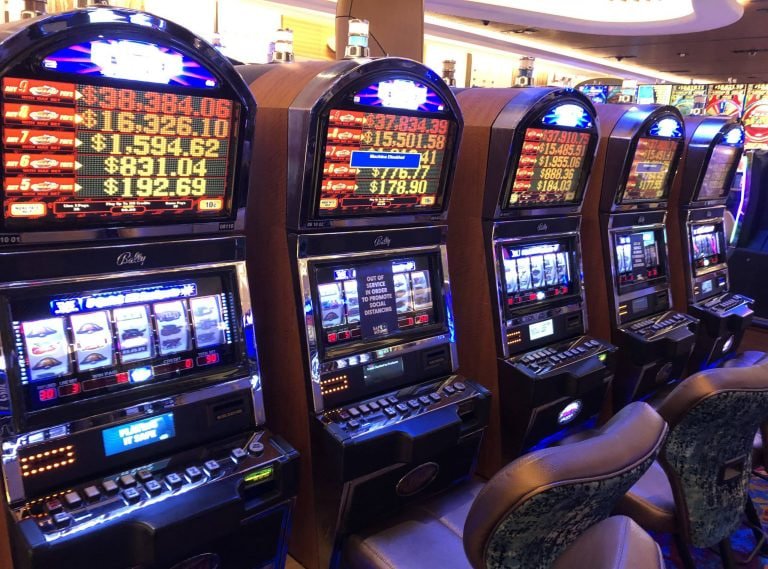
Enjoy a smoother, faster, and more responsive casino gaming experience — slots, live dealer, and fish shooting games — through the official app Koitotolink. Available for Android, iOS, and PC — free, with no subscription fees.
The app is available for all major platforms. Choose the one that matches your device and start playing in minutes.
Enable "Unknown Sources" in settings before installing.
Compatible with iPhone 7 and above, and all recent iPad models.
Bigger screen, more precise controls — the best casino experience on desktop.
Compared to accessing via a regular browser, the Koitotolink delivers a far more optimal experience — faster, more stable, and more comfortable.
Game load time reduced by up to 60% compared to a browser. No lag, no buffering — just play.
Receive promo info, daily bonuses, and active jackpots directly on your screen — without having to open the app first.
Log in to your account with just your fingerprint or Face ID — secure and faster than typing your password every time.
Optimized for 3G/4G connections as well. Games run smoothly even when signal is not at full strength.
All transaction activity and personal data is fully encrypted with SSL 256-bit directly at the app level.
An elegant dark theme that automatically adjusts to screen brightness — comfortable for late-night gaming sessions.
All menus, guides, and support are available in natural, easy-to-understand Bahasa Indonesia.
Deposit and withdraw directly within the app — supports bank transfers, e-wallets, and phone credit with no extra fees.
Contact the support team directly from within the game without leaving — average response time is under 2 minutes.

Go to Settings → Security → check "Install apps from unknown sources". This step only needs to be done once.
Tap the "Download Android APK" button on this page. The APK file, around 48 MB, will automatically be saved to your phone's Downloads folder.
Open the APK file from the download notification or Downloads folder, tap "Install", wait for it to finish, then open the app and log in.
Make sure to open this page through the iPhone's built-in Safari browser to ensure the download process runs correctly.
Installation will begin automatically. Tap "Allow" when the confirmation dialog appears from the iOS system.
Go to Settings → General → Device Management & VPN → select the Koitotolink profile → tap "Trust".
The app is ready to use. Log in with your existing Koitotolink account and start your session.
| OS Version | Android 6.0 (Marshmallow) and above |
| RAM | Minimum 2 GB |
| Storage | 100 MB free space |
| Processor | Quad-core 1.4 GHz+ |
| Connection | 3G / 4G / Wi-Fi |
| APK File | 48 MB |
| Auto Update | Available |
| OS Version | IOS 13.0 and above |
| Device | IPhone 7+ / iPad Air 2+ |
| RAM | Minimum 2 GB |
| Storage | 120 MB free space |
| Connection | 4G LTE / Wi-Fi |
| IPA File | 52 MB |
| Face ID / Touch ID | Supported |
| OS | Windows 10/11 · macOS 11+ |
| RAM | Minimum 4 GB |
| Storage | 200 MB free space |
| GPU | DirectX 11 / Metal |
| Connection | Broadband 5 Mbps+ |
| Installer File | 86 MB |
| Resolution | 1280×720 minimum |
See the real difference for yourself between playing on the official Koitotolink app versus a regular browser on your phone.
| Features | 📱 koitotolink App | 🌐 Regular Browser |
|---|---|---|
| Loading Speed | ⚡ Lightning Fast | Medium |
| Push Notifications | ✅ Available | ❌ None |
| Biometric Login | ✅ Fingerprint / Face ID | ❌ Not Supported |
| Weak Connection Stability | ✅ Optimized | Prone to Disconnection |
| Memory Usage | ✅ Efficient | Higher RAM Usage |
| Auto Update | ✅ Instant | Manual Refresh |
| Integrated Cashier Access | ✅ One Tap | Change Page |
| Live Chat Without Leaving the Game | ✅ Live Overlay | ❌ Not Possible |
If you've been in the online casino game world long enough, you've probably had those frustrating moments — a game suddenly lags mid-spin on a promising slot, or your connection drops right when a great card shows up at the baccarat table. Most of these issues aren't about the server, but about how you're accessing the platform. And that's one strong reason why downloading the official app Koitotolink is a sensible choice.
App Koitotolink was built from the ground up with one core priority: consistent performance across all network conditions. The development team didn't simply wrap a website into an app shell — they built a distinct architecture with a smart caching system that stores interface elements locally, so they don't need to reload every time you open a page. The result? Drastically reduced game load times, even on 3G networks.
One thing that often gets overlooked is security. Many users are used to saving passwords in their browser — which isn't actually that safe. In the app Koitotolink, you can use biometric authentication — fingerprint or Face ID — eliminating the risk of passwords saved in browser cache that others could access. 256-bit SSL encryption is active during every session, not just during transactions.
In terms of content, there is no difference between the web version and the app — all games are fully available. Hundreds of slot titles from Pragmatic Play, Habanero, PG Soft, as well as live dealer games from Evolution Gaming and Sexy Baccarat can be enjoyed with the same visual quality. The difference is that everything feels more responsive in the app, as rendering is handled more efficiently using the device's GPU.
One feature that makes a real difference for active players is push notifications. Imagine you're doing something else on your phone, then suddenly a notification pops up saying that Koitotolink has just activated a slot tournament with a massive jackpot prize for the next 3 hours — you can open the app and join immediately without having to check the site manually. This feature ensures you never miss the best promotions.
For iOS users, the installation process is slightly different from Android due to the more closed nature of the Apple ecosystem. But the steps are straightforward and only need to be done once — after the developer profile is trusted, all subsequent app updates run automatically with no manual steps required. Users with iPhone 7 and above, as well as all current iPad models, can enjoy the app at full performance.
For those who prefer playing on a larger screen, the PC version of the Koitotolink is worth trying. The larger screen offers a real advantage especially when playing at live dealer tables — you can see the dealer's expressions more clearly, read table statistics more easily, and multitask between several tables at once without switching browser tabs. Available for Windows 10/11 and macOS 11 and above.
The download itself doesn't take long. The APK file for Android is around 48 MB — easily downloaded in 1–2 minutes on a standard 4G connection. Once installed, the app won't eat up much storage space since most game content is streamed directly. So you don't need to worry about filling up your phone's storage just by installing the casino app.
Equally important is the customer support aspect. Inside the app Koitotolink, the live chat button is accessible at any time without closing your running game. This overlay feature lets you ask about withdrawal status, claim bonuses, or report technical issues while staying inside your game session. The support team is available 24 hours a day, 7 days a week, including national holidays.
The conclusion is simple: if you're serious about playing on the Koitotolink, downloading the official app is a small investment — free, fast, and a one-time install — that delivers a significantly better experience every day. There's no reason to stay dependent on a regular browser when a more optimal solution is right at your fingertips.